
AQA GCSE Biology
The content on this page follows the AQA GCSE Biology specification. The features and materials are designed to support teaching, learning, assessment and revision.
Science Teachers - get access to all topics for teachers and pupils
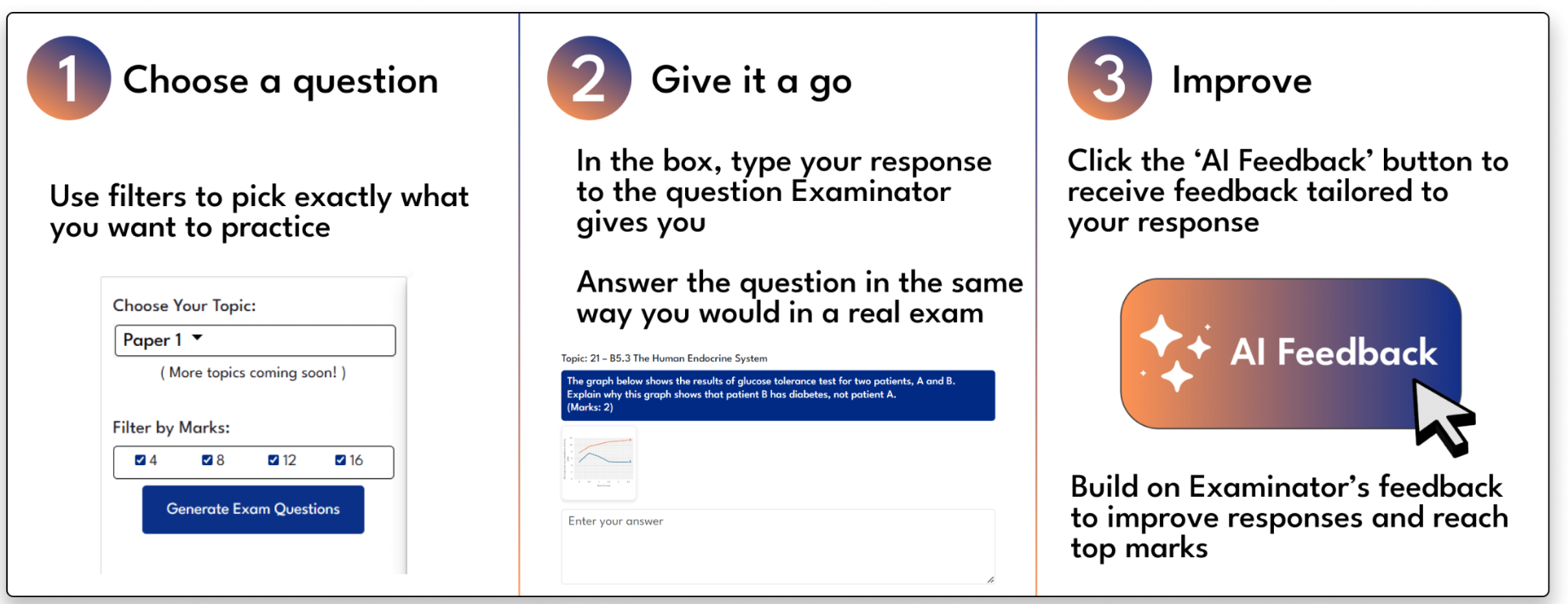
Filter by topic:
Filter by Marks:
Choose your topic to start using Examinator

Mark Achieved :
AI Feedback
Provide Your Feedback
Topic:
Question
Your Answer:
AI Feedback:
Mark Scheme
Are you satisfied with the AI mark & feedback?
Click on keyboard icon to add math notations.
Examinator is currently in BETA testing - we need your feedback to make
this the
best tool
it can be for teachers and pupils!
We appreciate any feedback you can provide about Examinator’s marking
and your
experience.
| My Exams | Classes | Due Date | Edit | Duplicate | Delete | Download | Share |
|---|---|---|---|---|---|---|---|
No shared exams available for this course.
How to use Exam Builder
Use the filters to update the list of questions on the left side of the screen. Click + to add a question to your exam - they'll move over to the right side.
Assign your exam to a group for them to complete online, or choose 'no group' to download it as a PDF only.
Click post/schedule to set the date your exam will become available for pupils to complete. Once posted, you can also download it as a PDF in 'Manage Existing Exams'.
Filter by topic:
Filter by Marks:
My Exam
Click questions from the question bank below to add them to your exam
Questions: 0
Total Marks: 0
Exam Question Bank
Apply filters to narrow down questions, then click on questions to add them to your exam.
Apply filters to choose exam questions
Loading questions...
Post / Schedule Exam
Exam Builder Help
Exam Builder
Create your own AI-marked exams for pupils to complete online.
Use the left side bar to apply your filters to our bank of exam questions to create your exam. Members can also set exams to their class and track results!
Example Exams
Click below to take a look at some example exams that have been created using Exam Builder.
Free Registration
Register free or login in order to create an exam.
Sign Up
Login
Deleted Exams
Post / Schedule Exam
Edit Exam
Duplicate Exam
Get Started with Mock Exams
Want to get access to our Mock Exams as well as our other online learning tools? View our membership options below.
MembershipMock Exams
Maximise exam preparation without additional marking.
Other Mock Exams
Combined Science: Biology Paper 2 – FT
AQA GCSE Combined Science Biology Foundation Tier
Total Marks: 70
Combined Science: Biology Paper 2 – HT
AQA GCSE Combined Science Biology Higher Tier
Total Marks: 70
Combined Science: Biology Paper 1 – FT
AQA GCSE Combined Science Biology Foundation Tier
Total Marks: 70
Combined Science: Biology Paper 1 – HT
AQA GCSE Combined Science Biology Higher Tier
Total Marks: 70
Biology Paper 2 – Foundation Tier
AQA GCSE Biology Foundation Tier
Total Marks: 100
Biology Paper 2 – Higher Tier
AQA GCSE Biology Higher Tier
Total Marks: 100
Biology Paper 1 – Foundation Tier
AQA GCSE Biology Foundation Tier
Total Marks: 100
Biology Paper 1 – Higher Tier
AQA GCSE Biology Higher Tier
Total Marks: 100
Set Mock Exam
Edit Mock Exam
PE Classroom Mock Exams
This content is only available for PE Classroom Teacher & Pupil Members.
View our membership options to unlock access.
30-Day Free Trial
Our Mock Exams feature is only available to those with our School Membership.
Sign up for a 30-Day Free Trial or sign in below.
Any work set by teachers via Exam Builder or Activity Generator will appear here for pupils to view and complete online. Marks and feedback will be provided immediately via A.I. with all data shared with teachers.
Teachers - this area is where pupils will see exams set to their class, please go to the 'Exam Builder' and 'Activity Generator' tabs to view and manage your existing exams/activities.
Here you can find an example of what pupils see on their ‘My Work’ tab.
Select a Quiz
Types of Cells Quiz (10 mark)
Time limit: 0
Quiz Summary
0 of 10 Questions completed
Questions:
Information
You have already completed the quiz before. Hence you can not start it again.
Quiz is loading…
You must sign in or sign up to start the quiz.
You must first complete the following:
Results
Quiz complete. Results are being recorded.
Results
0 of 10 Questions answered correctly
Your time:
Time has elapsed
You have reached 0 of 0 point(s), (0)
Earned Point(s): 0 of 0, (0)
0 Essay(s) Pending (Possible Point(s): 0)
Categories
-
Not categorized
0%
-
- 1
- 2
- 3
- 4
- 5
- 6
- 7
- 8
- 9
- 10
-
Question 1 of 10
1. Question
Correct
Incorrect
-
Question 2 of 10
2. Question
Correct
Incorrect
-
Question 3 of 10
3. Question
Correct
Incorrect
-
Question 4 of 10
4. Question
Correct
Incorrect
-
Question 5 of 10
5. Question
Correct
Incorrect
-
Question 6 of 10
6. Question
Correct
Incorrect
-
Question 7 of 10
7. Question
Correct
Incorrect
-
Question 8 of 10
8. Question
Correct
Incorrect
-
Question 9 of 10
9. Question
Correct
Incorrect
-
Question 10 of 10
10. Question
Correct
Incorrect
You are currently not logged in, so your quiz results will not be saved. Please
login to save your results.
Select a Video
Select a Cheat Sheet
Tracking
Teachers with our School Membership can track their pupils through the teacher dashboard.
- View and compare pupil answers and results for quizzes, Examinator questions and exams created using Exam Builder.
- View and edit AI feedback given for pupil responses.
Teachers with our School Membership can track their pupils through the teacher dashboard.
View and compare pupil answers and results for quizzes, Examinator questions and exams created using Exam Builder.
View and edit AI feedback given for pupil responses.
View our membership options to unlock tracking
Take a look at our support videos on pupil tracking below.
Frequently Asked Questions
Adding Pupils
Take a look at the video to learn how to add pupils once you have a School Membership.
You can either create the pupil logins yourself, or get a shareable link to allow pupils to create their own accounts.
This will add your pupils to your class and you will be ready to track.
You haven't created any activities yet. Use the Activity Generator to create your first activity!
My Activities
Classes
Due Date
Edit
Duplicate
Download
Delete
Share
Other Activities
Classes
Due Date
Set By
Duplicate
No activities found from other teachers in this group.
Deleted Activities
Loading deleted activities...
Duplicate Activity
Choose Group
Edit Activity
Choose Group
How to use Activity Generator
1
Use the filters to choose your topic, activity type, and time available,
then click ‘Generate Activity’.
2
Review your generated activities. You can regenerate or delete any
activity using the buttons on the right.
3
When you're happy with your activities, click ‘Create Activity’ and
give it a name.
4
Your activity will now appear in ‘Manage Existing Activities’. From
there, you can view it or share it with pupils by clicking ‘Share’
and sending the link via email or your usual homework platform.
Pupils can complete the activity online and receive instant
feedback.
Filter Activities
Your activity has been generated. Scroll down to view the activity and re-generate or delete sections if required. Click 'Create Activity' to save the activity.
Activity Generator
Generate AI-powered activities for your pupils that follow exam board specifications.
Use the left side bar to apply your filters to generate your AI activity.
Example Activities
Click below to take a look at some example activities that have been created using Activity Generator.
Post / Schedule Activity
Choose Group
Combined Science: Biology Paper 2 – FT
Combined Science: Biology Paper 2 – HT
AQA GCSE Combined Science Biology Higher Tier
Total Marks: 70
Combined Science: Biology Paper 1 – FT
AQA GCSE Combined Science Biology Foundation Tier
Total Marks: 70
Combined Science: Biology Paper 1 – HT
AQA GCSE Combined Science Biology Higher Tier
Total Marks: 70
Biology Paper 2 – Foundation Tier
AQA GCSE Biology Foundation Tier
Total Marks: 100
Biology Paper 2 – Higher Tier
AQA GCSE Biology Higher Tier
Total Marks: 100
Biology Paper 1 – Foundation Tier
AQA GCSE Biology Foundation Tier
Total Marks: 100
Biology Paper 1 – Higher Tier
AQA GCSE Biology Higher Tier
Total Marks: 100
Set Mock Exam
Edit Mock Exam
PE Classroom Mock Exams
This content is only available for PE Classroom Teacher & Pupil Members.
View our membership options to unlock access.
30-Day Free Trial
Our Mock Exams feature is only available to those with our School Membership.
Sign up for a 30-Day Free Trial or sign in below.
Any work set by teachers via Exam Builder or Activity Generator will appear here for pupils to view and complete online. Marks and feedback will be provided immediately via A.I. with all data shared with teachers.
Teachers - this area is where pupils will see exams set to their class, please go to the 'Exam Builder' and 'Activity Generator' tabs to view and manage your existing exams/activities.
Here you can find an example of what pupils see on their ‘My Work’ tab.
Select a Quiz
Types of Cells Quiz (10 mark)
Time limit: 0
Quiz Summary
0 of 10 Questions completed
Questions:
Information
You have already completed the quiz before. Hence you can not start it again.
Quiz is loading…
You must sign in or sign up to start the quiz.
You must first complete the following:
Results
Quiz complete. Results are being recorded.
Results
0 of 10 Questions answered correctly
Your time:
Time has elapsed
You have reached 0 of 0 point(s), (0)
Earned Point(s): 0 of 0, (0)
0 Essay(s) Pending (Possible Point(s): 0)
Categories
-
Not categorized
0%
-
- 1
- 2
- 3
- 4
- 5
- 6
- 7
- 8
- 9
- 10
-
Question 1 of 10
1. Question
Correct
Incorrect
-
Question 2 of 10
2. Question
Correct
Incorrect
-
Question 3 of 10
3. Question
Correct
Incorrect
-
Question 4 of 10
4. Question
Correct
Incorrect
-
Question 5 of 10
5. Question
Correct
Incorrect
-
Question 6 of 10
6. Question
Correct
Incorrect
-
Question 7 of 10
7. Question
Correct
Incorrect
-
Question 8 of 10
8. Question
Correct
Incorrect
-
Question 9 of 10
9. Question
Correct
Incorrect
-
Question 10 of 10
10. Question
Correct
Incorrect
You are currently not logged in, so your quiz results will not be saved. Please
login to save your results.
Select a Video
Select a Cheat Sheet
Tracking
Teachers with our School Membership can track their pupils through the teacher dashboard.
- View and compare pupil answers and results for quizzes, Examinator questions and exams created using Exam Builder.
- View and edit AI feedback given for pupil responses.
Teachers with our School Membership can track their pupils through the teacher dashboard.
View and compare pupil answers and results for quizzes, Examinator questions and exams created using Exam Builder.
View and edit AI feedback given for pupil responses.
View our membership options to unlock tracking
Take a look at our support videos on pupil tracking below.
Frequently Asked Questions
Adding Pupils
Take a look at the video to learn how to add pupils once you have a School Membership.
You can either create the pupil logins yourself, or get a shareable link to allow pupils to create their own accounts.
This will add your pupils to your class and you will be ready to track.
You haven't created any activities yet. Use the Activity Generator to create your first activity!
My Activities
Classes
Due Date
Edit
Duplicate
Download
Delete
Share
Other Activities
Classes
Due Date
Set By
Duplicate
No activities found from other teachers in this group.
Deleted Activities
Loading deleted activities...
Duplicate Activity
Choose Group
Edit Activity
Choose Group
How to use Activity Generator
1
Use the filters to choose your topic, activity type, and time available,
then click ‘Generate Activity’.
2
Review your generated activities. You can regenerate or delete any
activity using the buttons on the right.
3
When you're happy with your activities, click ‘Create Activity’ and
give it a name.
4
Your activity will now appear in ‘Manage Existing Activities’. From
there, you can view it or share it with pupils by clicking ‘Share’
and sending the link via email or your usual homework platform.
Pupils can complete the activity online and receive instant
feedback.
Filter Activities
Your activity has been generated. Scroll down to view the activity and re-generate or delete sections if required. Click 'Create Activity' to save the activity.
Activity Generator
Generate AI-powered activities for your pupils that follow exam board specifications.
Use the left side bar to apply your filters to generate your AI activity.
Example Activities
Click below to take a look at some example activities that have been created using Activity Generator.
Post / Schedule Activity
Choose Group
Combined Science: Biology Paper 2 – HT
Combined Science: Biology Paper 1 – FT
AQA GCSE Combined Science Biology Foundation Tier
Total Marks: 70
Combined Science: Biology Paper 1 – HT
AQA GCSE Combined Science Biology Higher Tier
Total Marks: 70
Biology Paper 2 – Foundation Tier
AQA GCSE Biology Foundation Tier
Total Marks: 100
Biology Paper 2 – Higher Tier
AQA GCSE Biology Higher Tier
Total Marks: 100
Biology Paper 1 – Foundation Tier
AQA GCSE Biology Foundation Tier
Total Marks: 100
Biology Paper 1 – Higher Tier
AQA GCSE Biology Higher Tier
Total Marks: 100
Set Mock Exam
Edit Mock Exam
PE Classroom Mock Exams
This content is only available for PE Classroom Teacher & Pupil Members.
View our membership options to unlock access.
30-Day Free Trial
Our Mock Exams feature is only available to those with our School Membership.
Sign up for a 30-Day Free Trial or sign in below.
Combined Science: Biology Paper 1 – FT
Combined Science: Biology Paper 1 – HT
AQA GCSE Combined Science Biology Higher Tier
Total Marks: 70
Biology Paper 2 – Foundation Tier
AQA GCSE Biology Foundation Tier
Total Marks: 100
Biology Paper 2 – Higher Tier
AQA GCSE Biology Higher Tier
Total Marks: 100
Biology Paper 1 – Foundation Tier
AQA GCSE Biology Foundation Tier
Total Marks: 100
Biology Paper 1 – Higher Tier
AQA GCSE Biology Higher Tier
Total Marks: 100
Set Mock Exam
Edit Mock Exam
PE Classroom Mock Exams
This content is only available for PE Classroom Teacher & Pupil Members.
View our membership options to unlock access.
30-Day Free Trial
Our Mock Exams feature is only available to those with our School Membership.
Sign up for a 30-Day Free Trial or sign in below.
Combined Science: Biology Paper 1 – HT
Biology Paper 2 – Foundation Tier
AQA GCSE Biology Foundation Tier
Total Marks: 100
Biology Paper 2 – Higher Tier
AQA GCSE Biology Higher Tier
Total Marks: 100
Biology Paper 1 – Foundation Tier
AQA GCSE Biology Foundation Tier
Total Marks: 100
Biology Paper 1 – Higher Tier
AQA GCSE Biology Higher Tier
Total Marks: 100
Biology Paper 2 – Foundation Tier
Biology Paper 2 – Higher Tier
AQA GCSE Biology Higher Tier
Total Marks: 100
Biology Paper 1 – Foundation Tier
AQA GCSE Biology Foundation Tier
Total Marks: 100
Biology Paper 1 – Higher Tier
AQA GCSE Biology Higher Tier
Total Marks: 100
Biology Paper 2 – Higher Tier
Biology Paper 1 – Foundation Tier
AQA GCSE Biology Foundation Tier
Total Marks: 100
Biology Paper 1 – Higher Tier
AQA GCSE Biology Higher Tier
Total Marks: 100
Biology Paper 1 – Foundation Tier
Biology Paper 1 – Higher Tier
AQA GCSE Biology Higher Tier
Total Marks: 100
Biology Paper 1 – Higher Tier
Set Mock Exam
Edit Mock Exam
PE Classroom Mock Exams
This content is only available for PE Classroom Teacher & Pupil Members.
View our membership options to unlock access.
30-Day Free Trial
Our Mock Exams feature is only available to those with our School Membership.
Sign up for a 30-Day Free Trial or sign in below.
Any work set by teachers via Exam Builder or Activity Generator will appear here for pupils to view and complete online. Marks and feedback will be provided immediately via A.I. with all data shared with teachers.
Teachers - this area is where pupils will see exams set to their class, please go to the 'Exam Builder' and 'Activity Generator' tabs to view and manage your existing exams/activities.
Here you can find an example of what pupils see on their ‘My Work’ tab.
Select a Quiz
Types of Cells Quiz (10 mark)
Quiz Summary
0 of 10 Questions completed
Questions:
Information
You have already completed the quiz before. Hence you can not start it again.
Quiz is loading…
You must sign in or sign up to start the quiz.
You must first complete the following:
Results
Results
0 of 10 Questions answered correctly
Your time:
Time has elapsed
You have reached 0 of 0 point(s), (0)
Earned Point(s): 0 of 0, (0)
0 Essay(s) Pending (Possible Point(s): 0)
Categories
- Not categorized 0%
- 1
- 2
- 3
- 4
- 5
- 6
- 7
- 8
- 9
- 10
-
Question 1 of 10
1. Question
CorrectIncorrect -
Question 2 of 10
2. Question
CorrectIncorrect -
Question 3 of 10
3. Question
CorrectIncorrect -
Question 4 of 10
4. Question
CorrectIncorrect -
Question 5 of 10
5. Question
CorrectIncorrect -
Question 6 of 10
6. Question
CorrectIncorrect -
Question 7 of 10
7. Question
CorrectIncorrect -
Question 8 of 10
8. Question
CorrectIncorrect -
Question 9 of 10
9. Question
CorrectIncorrect -
Question 10 of 10
10. Question
CorrectIncorrect
Select a Video
Select a Cheat Sheet
Tracking
Teachers with our School Membership can track their pupils through the teacher dashboard.
- View and compare pupil answers and results for quizzes, Examinator questions and exams created using Exam Builder.
- View and edit AI feedback given for pupil responses.
Teachers with our School Membership can track their pupils through the teacher dashboard.
View and compare pupil answers and results for quizzes, Examinator questions and exams created using Exam Builder.
View and edit AI feedback given for pupil responses.
View our membership options to unlock tracking
Take a look at our support videos on pupil tracking below.
Frequently Asked Questions
Adding Pupils
Take a look at the video to learn how to add pupils once you have a School Membership.
You can either create the pupil logins yourself, or get a shareable link to allow pupils to create their own accounts.
This will add your pupils to your class and you will be ready to track.
You haven't created any activities yet. Use the Activity Generator to create your first activity!
| My Activities | Classes | Due Date | Edit | Duplicate | Download | Delete | Share |
|---|
| Other Activities | Classes | Due Date | Set By | Duplicate |
|---|---|---|---|---|
| No activities found from other teachers in this group. | ||||
Deleted Activities
Loading deleted activities...
Duplicate Activity
Edit Activity
How to use Activity Generator
Review your generated activities. You can regenerate or delete any activity using the buttons on the right.
When you're happy with your activities, click ‘Create Activity’ and give it a name.
Your activity will now appear in ‘Manage Existing Activities’. From there, you can view it or share it with pupils by clicking ‘Share’ and sending the link via email or your usual homework platform. Pupils can complete the activity online and receive instant feedback.
Filter Activities
Your activity has been generated. Scroll down to view the activity and re-generate or delete sections if required. Click 'Create Activity' to save the activity.
Activity Generator
Generate AI-powered activities for your pupils that follow exam board specifications.
Use the left side bar to apply your filters to generate your AI activity.
Example Activities
Click below to take a look at some example activities that have been created using Activity Generator.
Post / Schedule Activity
Sign up for 30-Day Free Trial
Our 30-day free trial is available for schools and offers 30 days of access to online learning tools for all topics with logins for both teachers and pupils. (Classroom 42’s 30-day free trial is limited to one use per school.)
Fill out your details below and we will be in touch to set up your trial membership.
Activity Generator Feedback
Please fill out the form below with your feedback about the Activity Generator tool.
Free Registration
Register for free or login to generate activities.
Already have an account? Login
Copyright © 2025 GCSE Classroom Ltd
GCSE Classroom Ltd
Tyler House
Tyler Street
Stratford-Upon-Avon
CV37 6TY
Free Registration
Create a free registration for the site by filling in the short form below to get access to the free history resources on Classroom 42.